StripeCRMSlackEmailLumaPortalWebhooksModelsStripeCRMSlackEmailLumaPortalWebhooksModelsStripeCRMSlackEmailLumaPortalWebhooksModelsStripeCRMSlackEmailLumaPortalWebhooksModelsStripeCRMSlackEmailLumaPortalWebhooksModelsStripeCRMSlackEmailLumaPortalWebhooksModels
CAutomation
The work that runs while you sleep.
Workflows we run in production: the quiet machinery between the tools an organization already pays for. Monitored, documented, and handed over.
01 · Payment → CRM → welcome → team
New member, zero busywork
- StripeA new membership payment lands
- CRMFind the contact or create it, without duplicates; fill only the empty fields
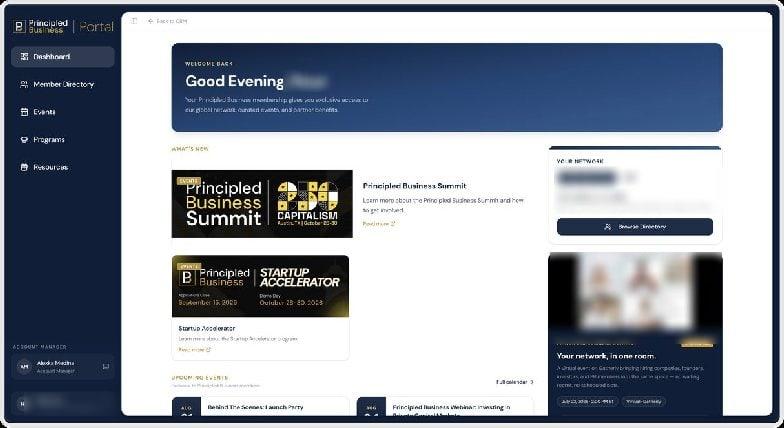
- PortalProvision the member login and directory profile
- EmailSend the welcome from the organization’s own domain
- SlackTell the team who joined, and at which tier
02 · Mention → read → act → reply
An AI teammate in Slack
- SlackSomeone mentions the assistant on a thread
- ModelIt reads the thread and pulls out who, what and the next steps
- CRMLogs the note on the right contact and company
- SlackReplies in the thread with what it saved, and a link
03 · Daily check → flag → act
Renewals that watch themselves
- ScheduleEvery morning, check the status of every subscription
- DatabaseFlag who is at risk, who renewed, who lapsed
- PortalRemove access for lapsed members, restore it on renewal
- EmailA weekly digest to staff: renewals due and accounts at risk
04 · Form → ticket → confirm → notify
Event sign-ups on their own
- WebsiteA guest fills in the registration form
- LumaThe ticket is issued automatically
- EmailThe confirmation goes out with the details
- TeamThe organizers get the sign-up in their inbox
05 · Any failure → urgent alert
A safety net on everything
- MonitorEvery workflow reports into one error handler
- TriageIt records which workflow broke, on which step, and why
- EmailAn urgent alert reaches the owner before a customer notices
Bring the workflow that costs the most time →