WorkCuídate · Insurance · Venezuela

Insurance, bought in seconds.
A phone app that quotes and sells cover in seconds, on top of a back office built to be audited.
- Product
- Cuídate
- Market
- Venezuela
- Surfaces
- iOS and Android app, public website, back office
- Credit
- Led by Diego Laurentin — architecture and engineering
4
System roles in the back office
40+
Granular permissions
4
Local payment methods
01Context
A phone, not an office.
In Venezuela, buying insurance still tends to mean offices, queues and paperwork, with prices that move between dollars and bolívares.
Cuídate turns the whole process — browse, quote, buy, pay and file a claim — into a few minutes on a phone, with an operations back office for the team and the insurers it works with.
02The problem
Fast for the customer, strict behind the glass.
The app had to feel instant. Everything behind it — identity, money, permissions, the record of who changed what — had to be the opposite of casual.
A quote that takes ten minutes of typing is a quote abandoned. A payment amount that trusts the phone is a liability. A back office without a history that can be trusted is a problem the first time someone asks what changed, and who changed it.
03The approach
One product, three surfaces, one backend.
A React Native app for iOS and Android, a public website, and an operations back office, all speaking to a single backend.
The rules live on the server: prices, payment amounts, and who may see which records. The interfaces stay light and fast. The back office is in Spanish and English, and it talks to the backend on the user’s behalf; the browser never calls the cloud API directly.
Architecture and engineering were led by Diego Laurentin.
The product
Tu seguro en segundos.
Your insurance, in seconds. The line under the logo is also the brief: every screen in the app is held to it.

04Feature chapters
From quote to policy, and the controls behind it.
Three chapters in the customer’s hands, shown in the current app with test data, then four behind the glass. Where no screen is shown, the drawings explain the behaviour; they contain no real records.
01 · Home
Every cover, priced on the first screen.
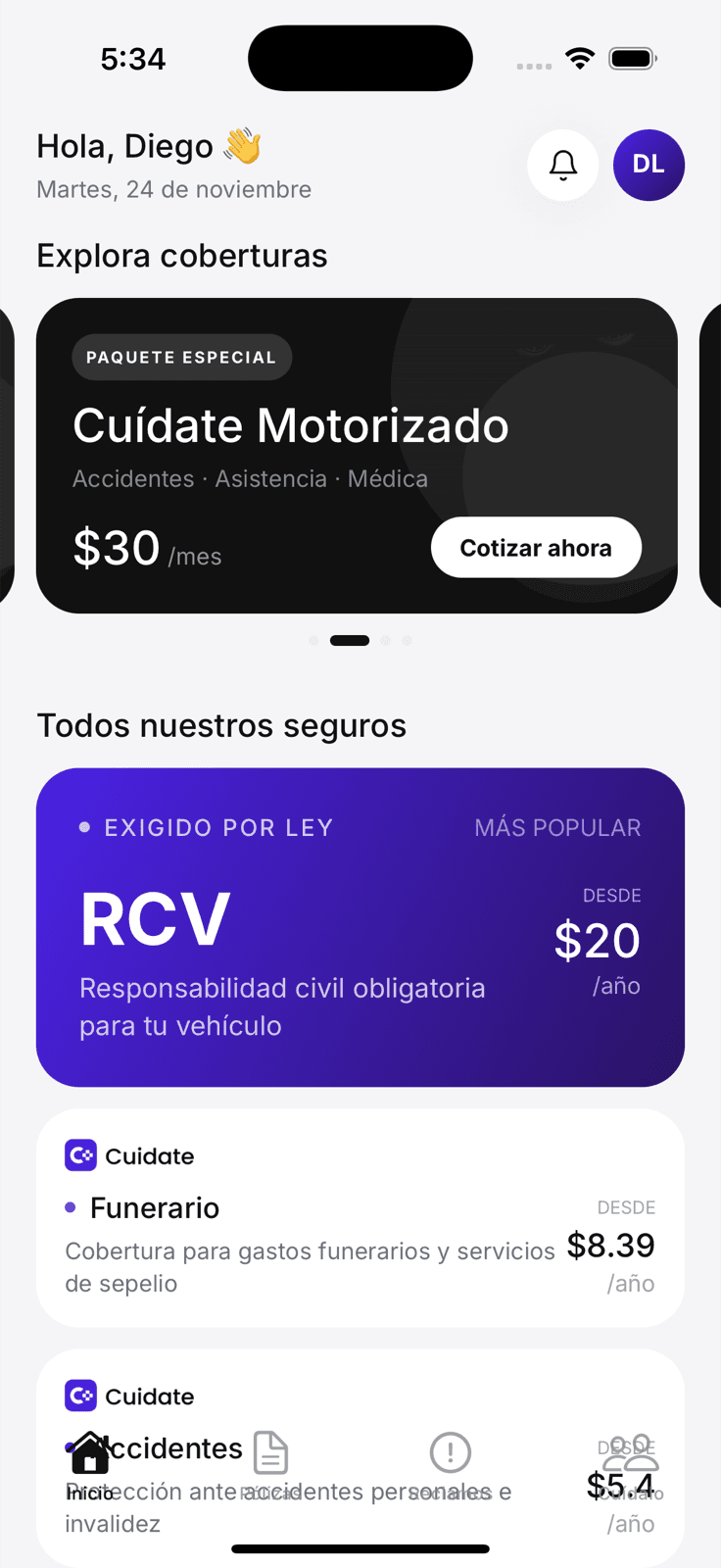
The home screen opens on the covers to explore — packages such as Cuídate Motorizado, which bundles accidents, assistance and medical cover — and then every product with its starting price: vehicle liability (RCV), funeral and personal accident.
- Packages in a swipeable carousel
- Every product with a starting price
- One tap from a card to a quote
01Inicio · covers to explore and every product 02 · Quote and buy
A quote in a couple of taps.
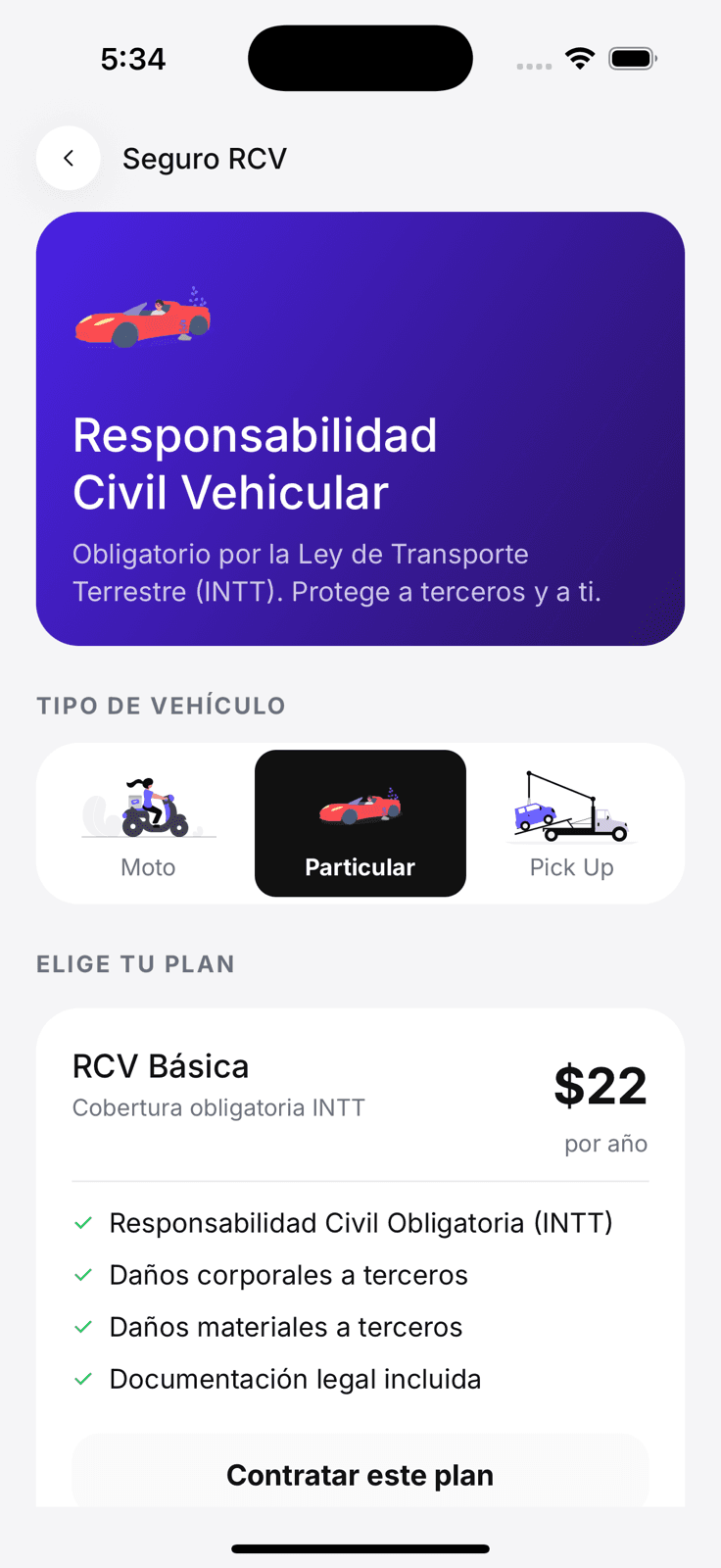
For vehicle liability — RCV, required by law — the app asks for the vehicle type, lays out the plan and exactly what it covers, and moves straight to contracting. Paying happens on the same phone, without an office visit.
- Vehicle type: motorbike, car or pick-up
- The plan, its yearly price and its coverage on one screen
- Prices in US dollars and in bolívares
02Seguro RCV · vehicle type and the RCV Básica plan 03 · After the purchase
Every policy, and where it stands.
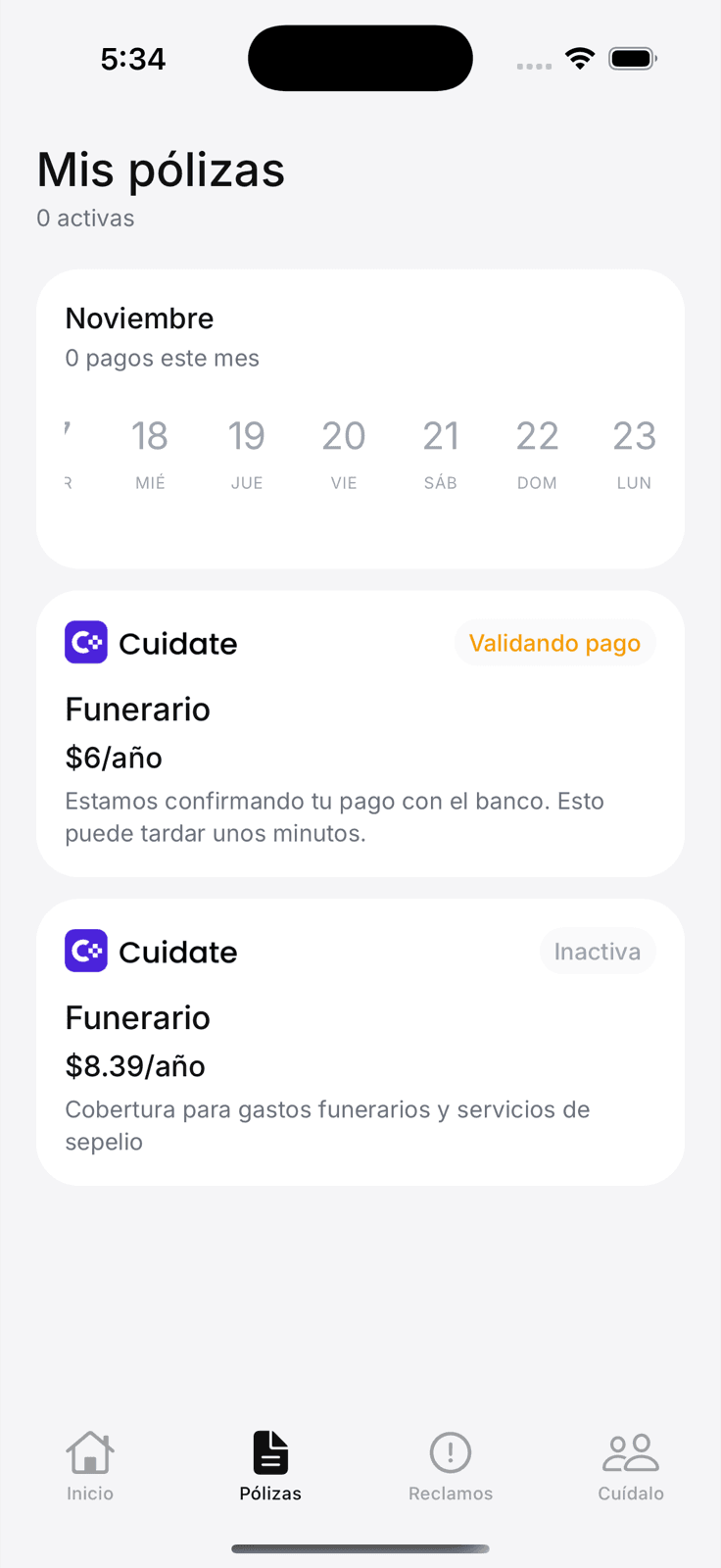
Mis pólizas lists each policy with its status in plain words: a payment the bank is still confirming says so, an inactive policy says so. Above them, a calendar of the month’s payments. One tab over, Reclamos shows each claim with its status and the refund amount.
- Policy cards with a clear status
- A calendar of the month’s payments
- Claims with their status and refund amount
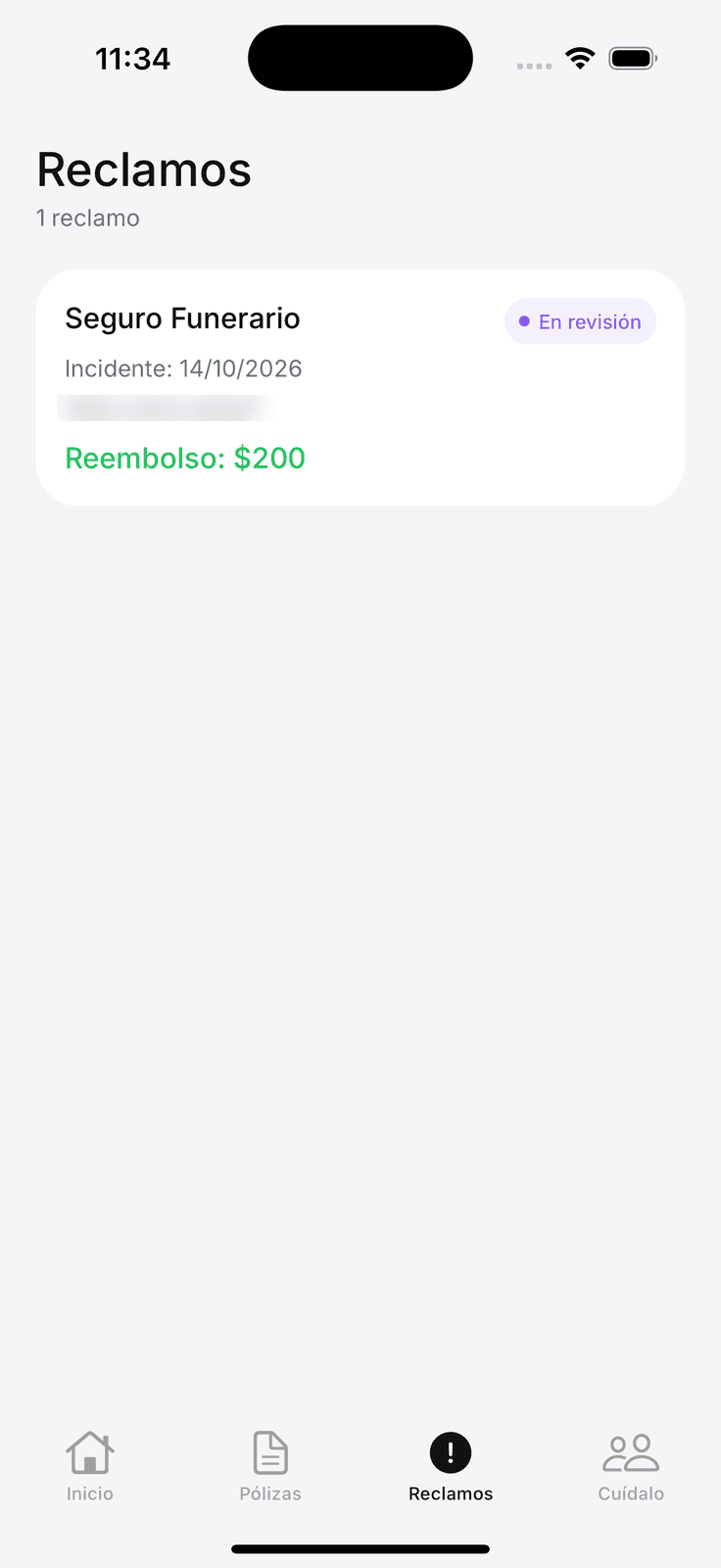
03Mis pólizas and Reclamos · policy and claim status 04 · AI ID verification
Photograph the document. The form fills itself.
Customers photograph their ID card, their tax ID (RIF) and their vehicle documents. A model extracts the fields into the form, and the RIF’s check digit is validated before anything is saved.
- ID card, RIF and vehicle documents
- Fields extracted automatically
- RIF check digit validated before saving
AI ID verificationIllustration✓RIF check digit validated before saving
04Illustration · document to fields 05 · Payments
The amount is set by the server.
The phone never tells the backend what to charge. The server calculates the amount; the result arrives over a real-time connection and fans out to the app, a push notification, policy activation, and the policy and invoice documents. If the connection drops, the app asks for the status instead of showing a false failure.
- Amounts calculated on the server, never trusted from the device
- One confirmation, four consequences
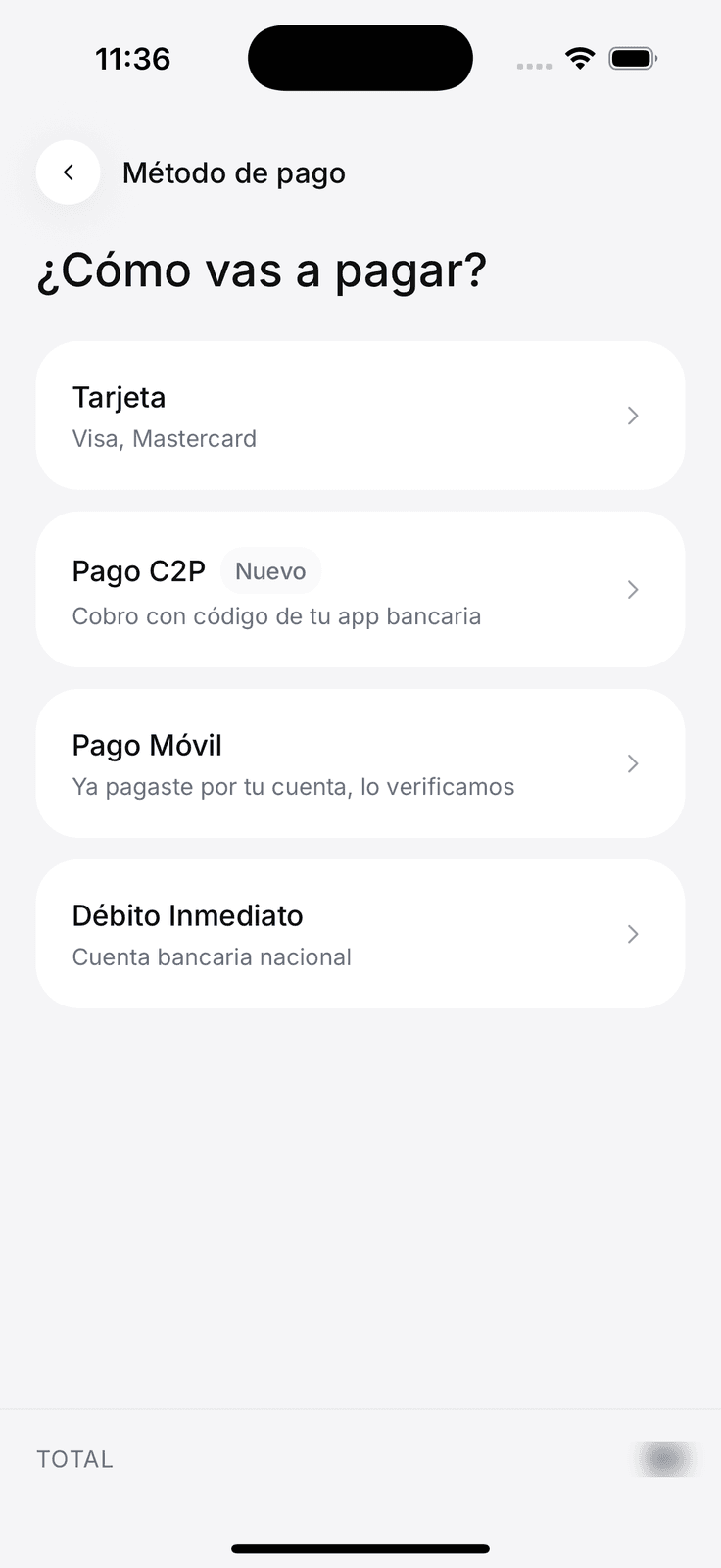
- Four local payment methods: card, C2P, Pago Móvil, immediate debit
 Payment flowIllustration
- AppChooses the plan. Sends no amount.
- ServerCalculates the amount.
- PaymentConfirmed over a real-time connection.
- The app
- Push notification
- Policy activated
- Policy and invoice documents
05Método de pago, and the flow behind it (illustration) 06 · Roles and permissions
Permissions enforced where they count.
Access in the back office has two scopes. Staff at an insurer only ever see their own book, and that limit is enforced on the server, not only hidden in the interface.
- Four system roles, more than forty granular permissions
- Nobody grants a permission they do not hold
- Nobody edits their own admin rights
Roles and permissionsIllustrationPermission Admin Operations Insurer staff Viewer policies.read policies.update claims.update catalog.publish audit.view roles.grant Scope All All Own book All 06Illustration · roles and permissions 07 · Audit log
A history that cannot be rewritten.
Every change is written to an append-only audit log in the same database transaction as the change, with a snapshot of before and after. Entries cannot be edited or deleted. Views of sensitive records are logged too, and staff sign in with two-factor authentication.
- Append-only: no edits, no deletes
- Written in the same transaction, before and after
- Sensitive views audited, 2FA for staff
Audit log · append-onlyIllustrationNo editNo deleteSame transaction2FA for staff07Illustration · the audit log
✓RIF check digit validated before saving
- AppChooses the plan. Sends no amount.
- ServerCalculates the amount.
- PaymentConfirmed over a real-time connection.
- The app
- Push notification
- Policy activated
- Policy and invoice documents
| Permission | Admin | Operations | Insurer staff | Viewer |
|---|---|---|---|---|
| policies.read | ||||
| policies.update | ||||
| claims.update | ||||
| catalog.publish | ||||
| audit.view | ||||
| roles.grant | ||||
| Scope | All | All | Own book | All |
05How it was built
Built to change without stopping.
Domain services — users, catalog, policies, claims, payments, documents and the back office — run as small serverless functions, defined as infrastructure as code, on a managed database and connected by events.
Mobile app
Public website
Back office
Backend
Domain services
Managed database
Events
Payments and documents
- App
- React Native · iOS and Android
- Back office
- Next.js · Spanish and English
- Backend
- Domain services as small functions
- Infrastructure
- Defined as code
- Staff access
- Roles, permissions, two-factor sign-in
01
A gradual migration, with a way back
The platform moved, step by step, onto a new cloud architecture: database, authentication and business logic. A gradual cutover and a rollback path kept the mobile app working throughout.
02
CI/CD on every push
Each service deploys when its code is pushed. The back office gets a preview environment for every branch. The mobile app is built for iOS and Android.
03
Rules on the server
Prices, payment amounts and record scopes are decided by the backend. The app and the back office display them; they do not decide them.
04
Audit by construction
The log entry is part of the same transaction as the change, so a change without a record cannot exist, and a record cannot be quietly removed.
06Every screen
The current app, screen by screen.
From the first screen to the account settings, in the order a customer meets them. Simulator captures with test data; personal details blurred.
01Inicio · covers to explore and every product with its price 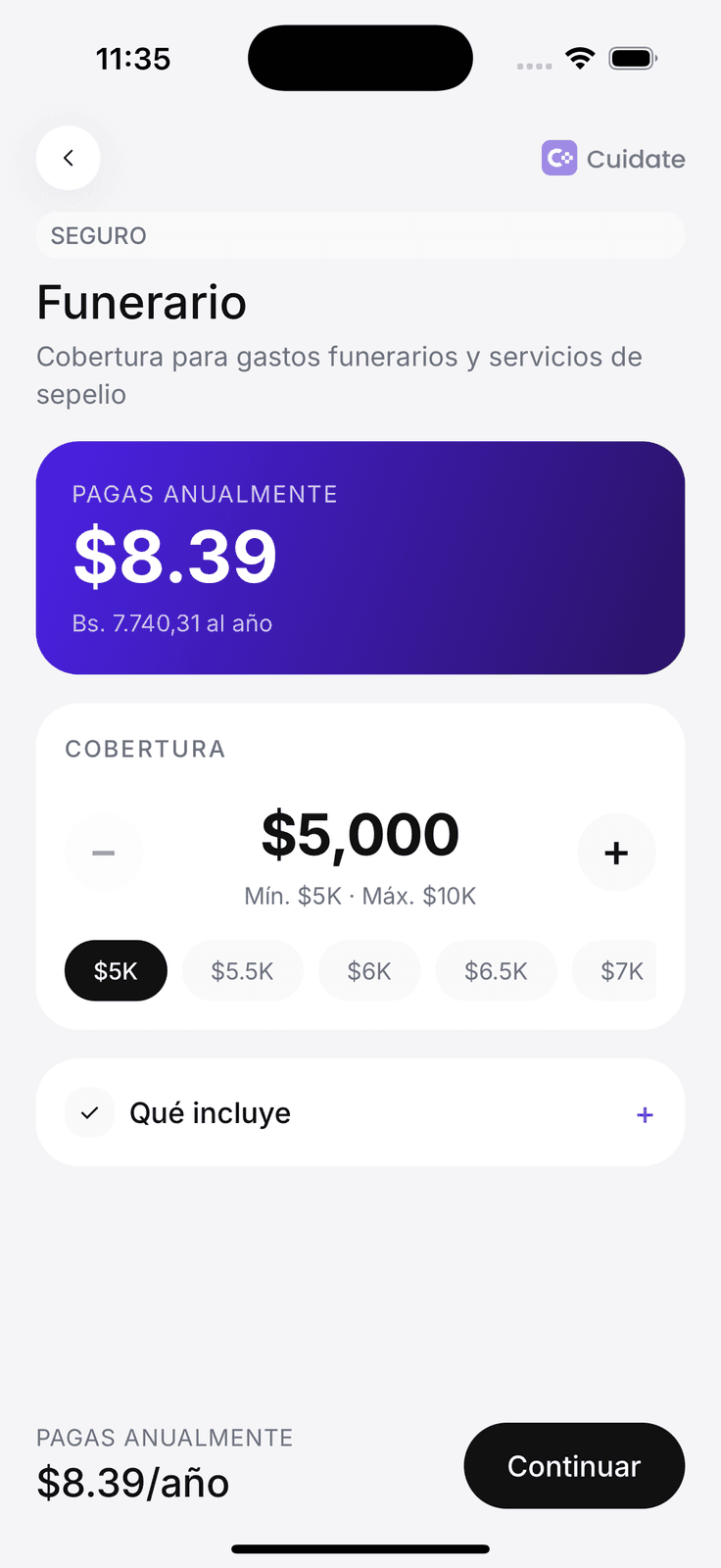
02Funerario · yearly price in $ and Bs, coverage from $5K to $10K 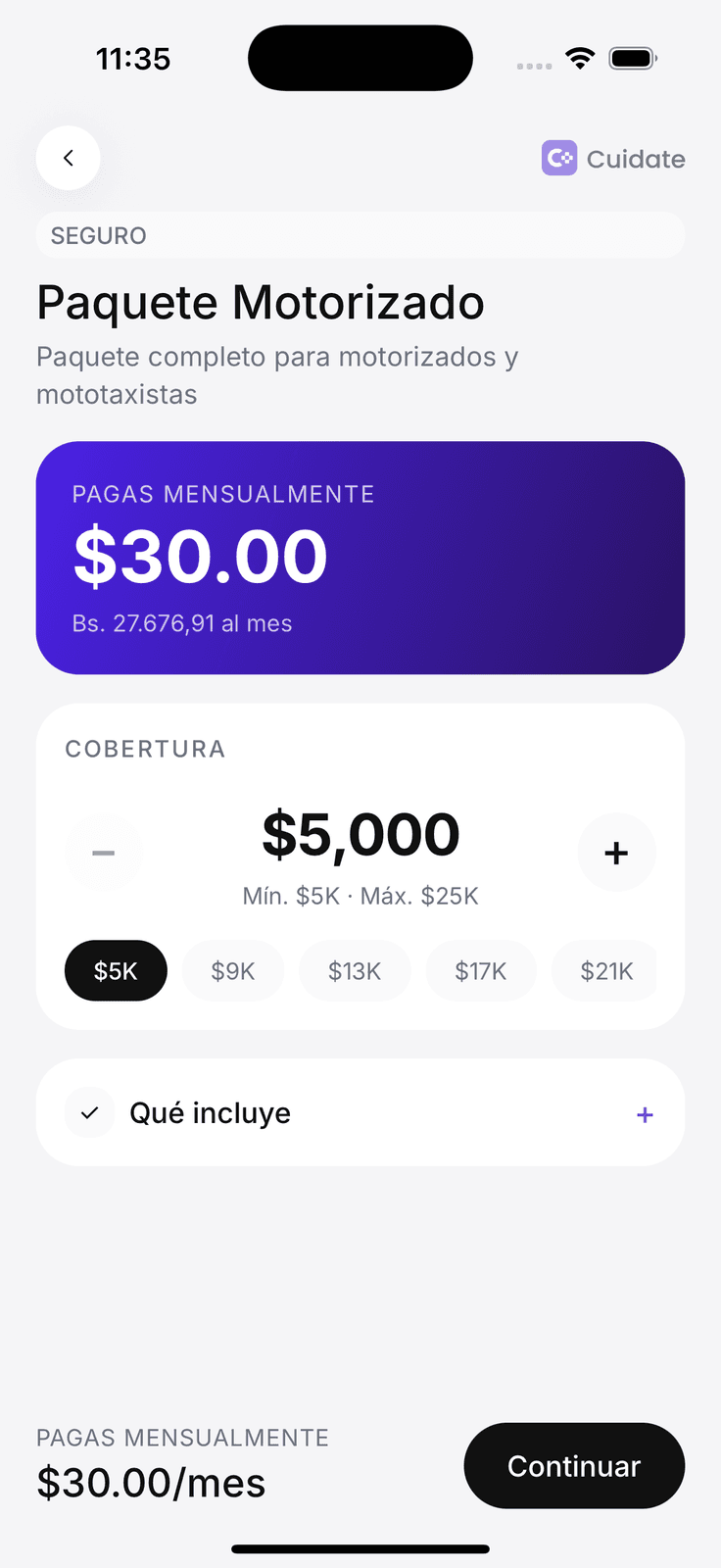
03Paquete Motorizado · monthly price and coverage amount 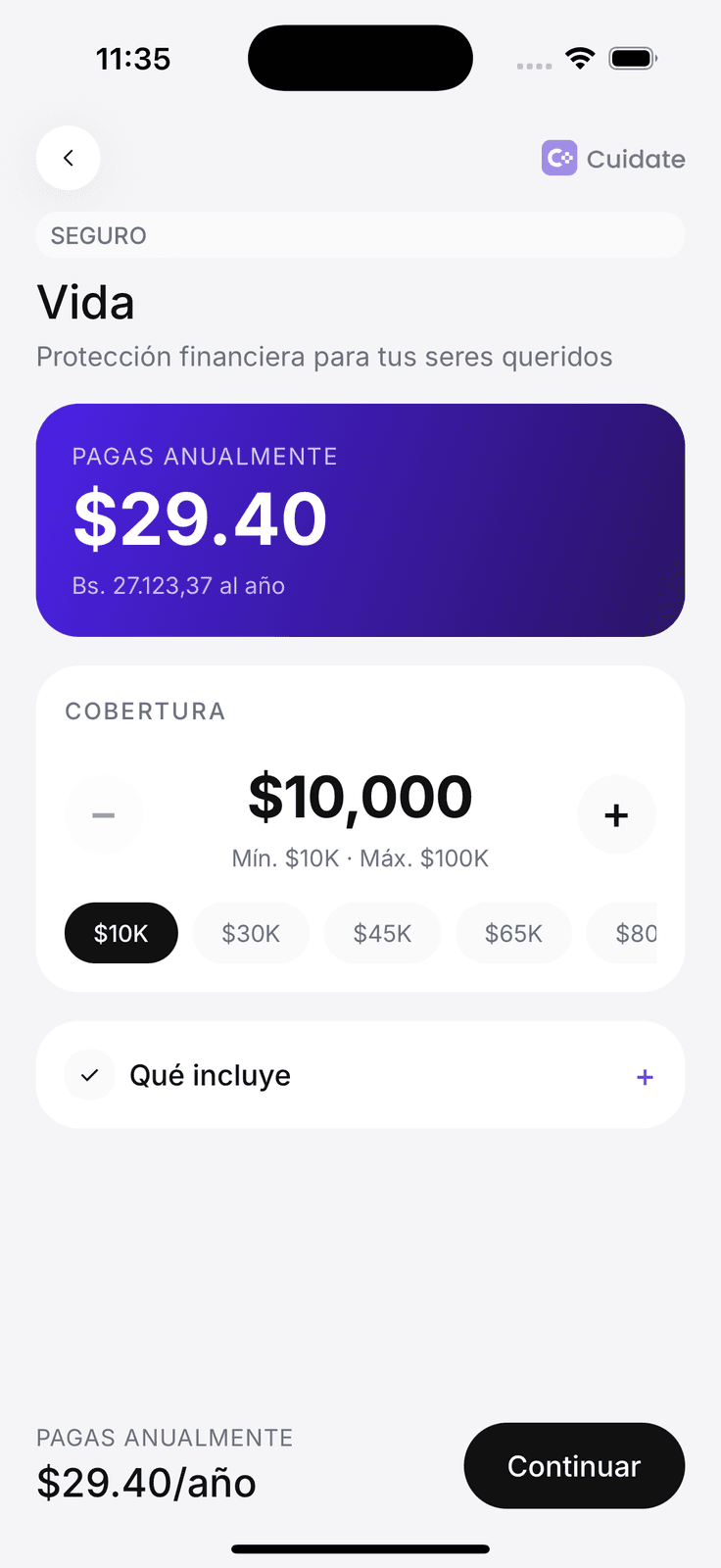
04Vida · yearly price and coverage amount 05Seguro RCV · vehicle type and the RCV Básica plan 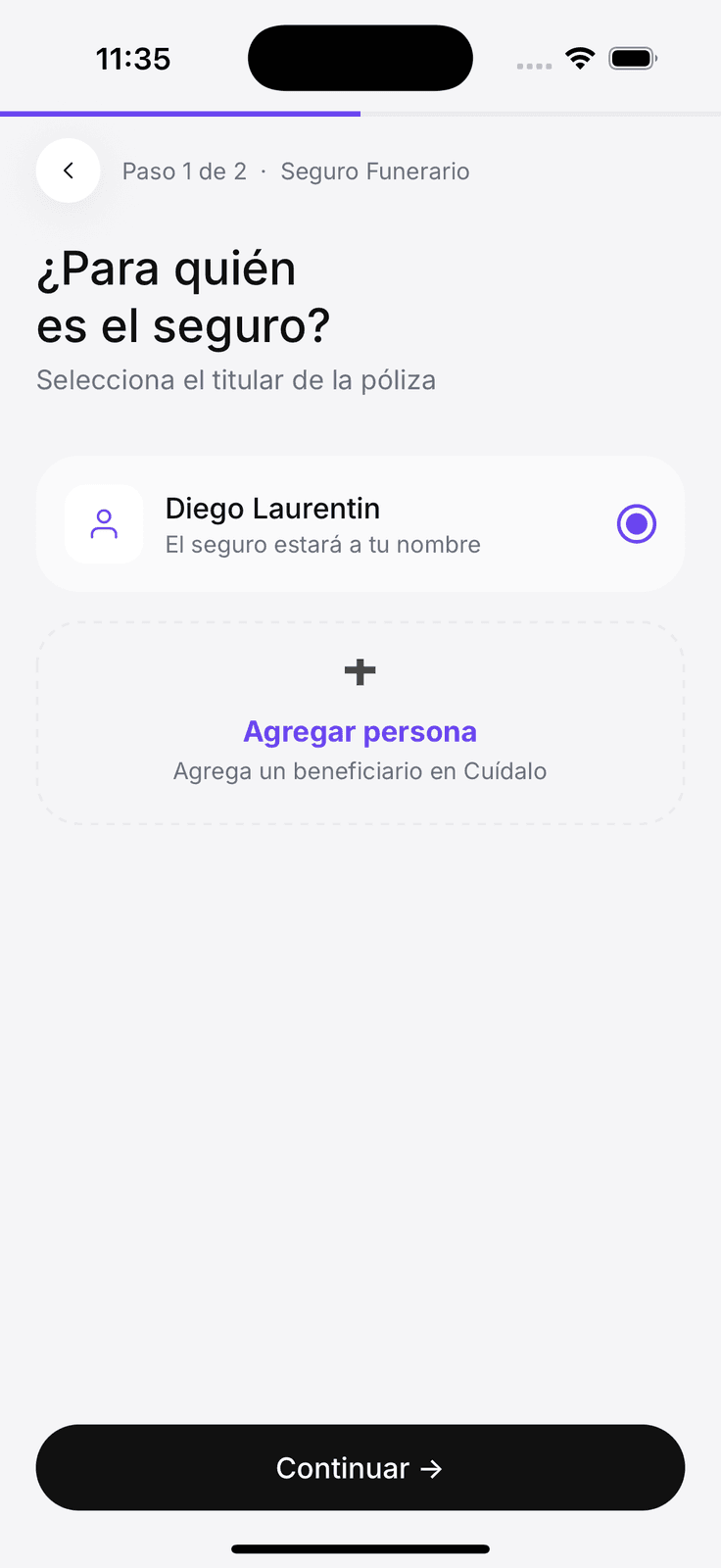
06Step 1 of 2 · who the policy is for, or add a person 07Método de pago · card, C2P, Pago Móvil or immediate debit 08Mis pólizas · payment calendar and policy status 09Reclamos · a claim under review, with its refund amount 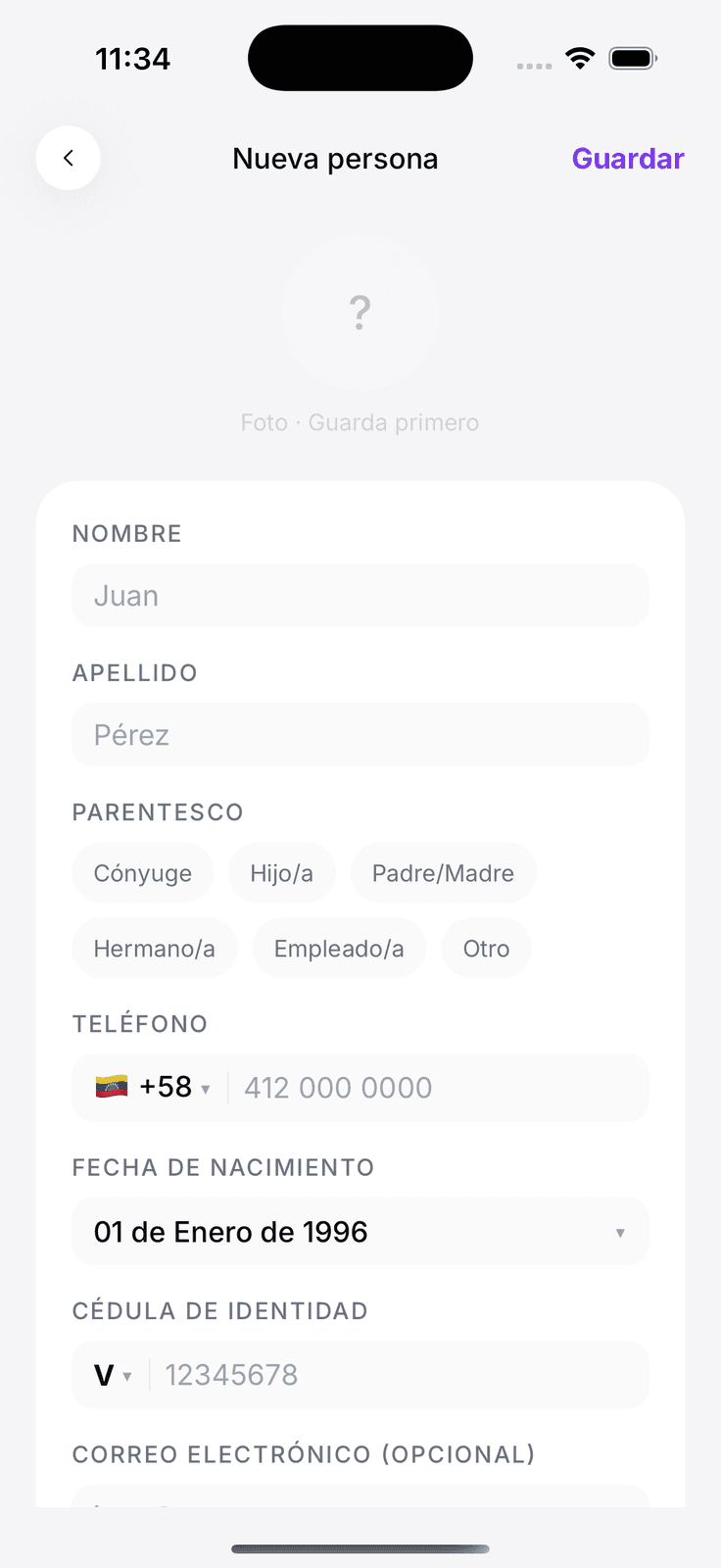
10Cuídalo · add a person: relationship, phone, birth date, ID 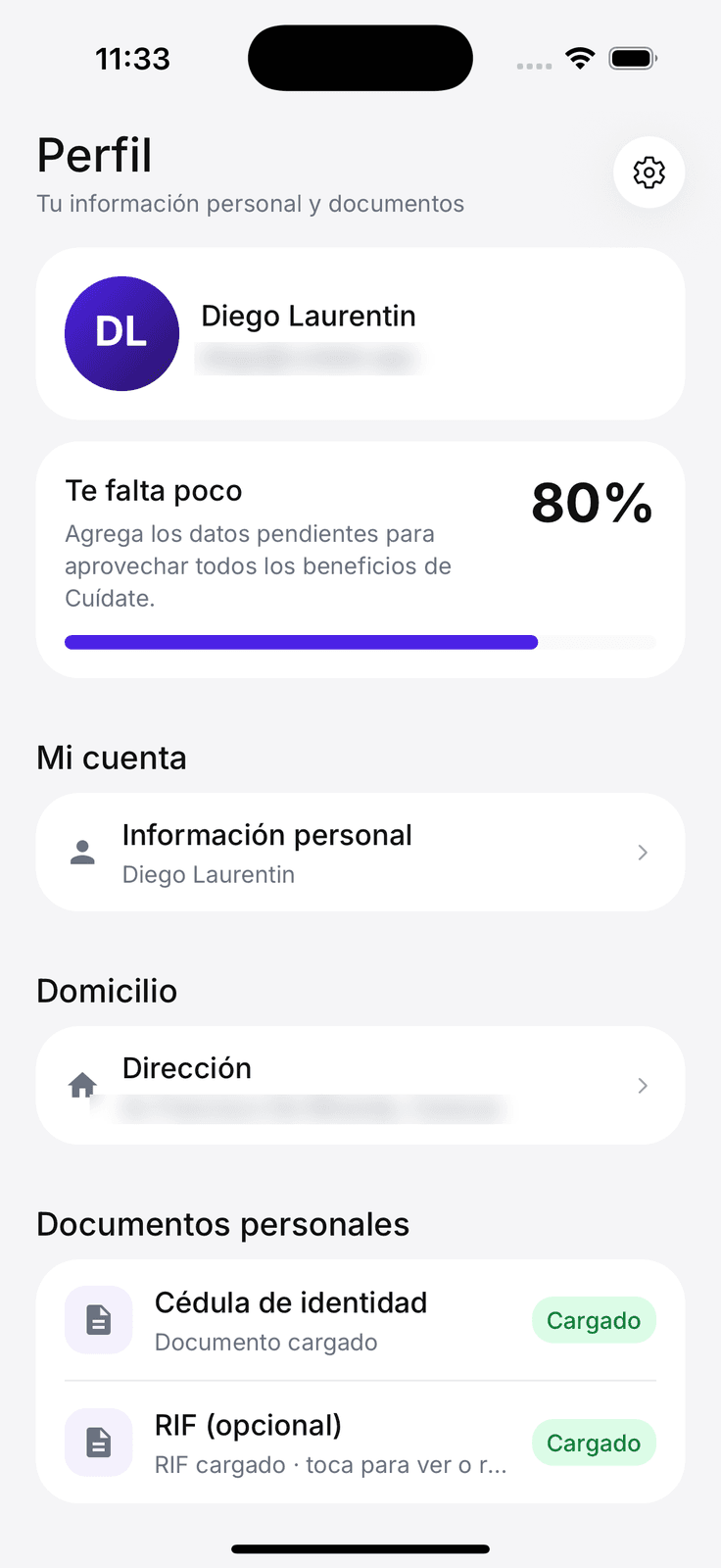
11Perfil · profile completion and uploaded documents 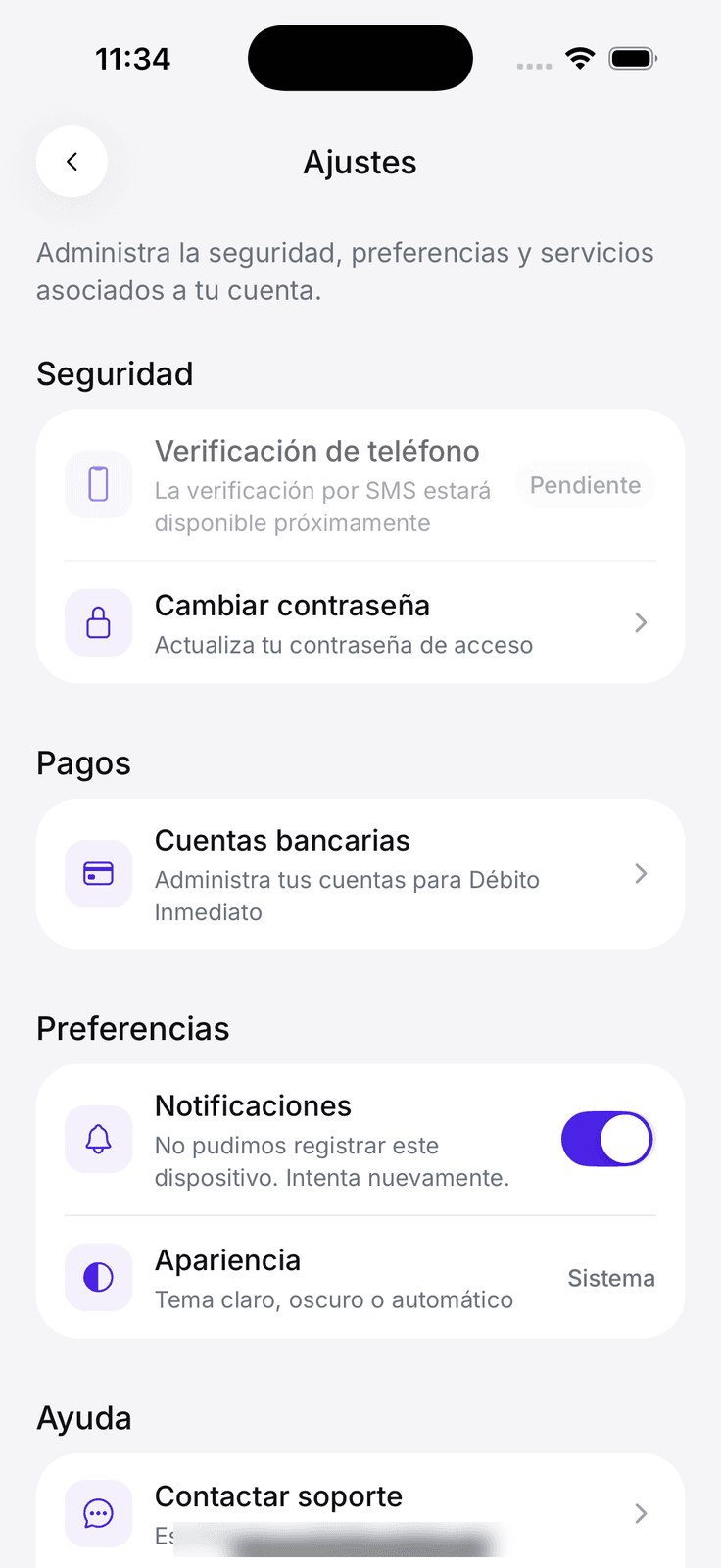
12Ajustes · security, bank accounts, notifications, appearance
07 · What it means for your product
A fast front, a strict back.
This is the shape of a product that needs a phone app, a public site, an operations console, a payment flow whose amount is set on the server, and an audit log that can be shown to a regulator.
Talk through a product like this →Next casePrincipled Business
An event that lives on a phone →
Product · Design · Build · Event support